

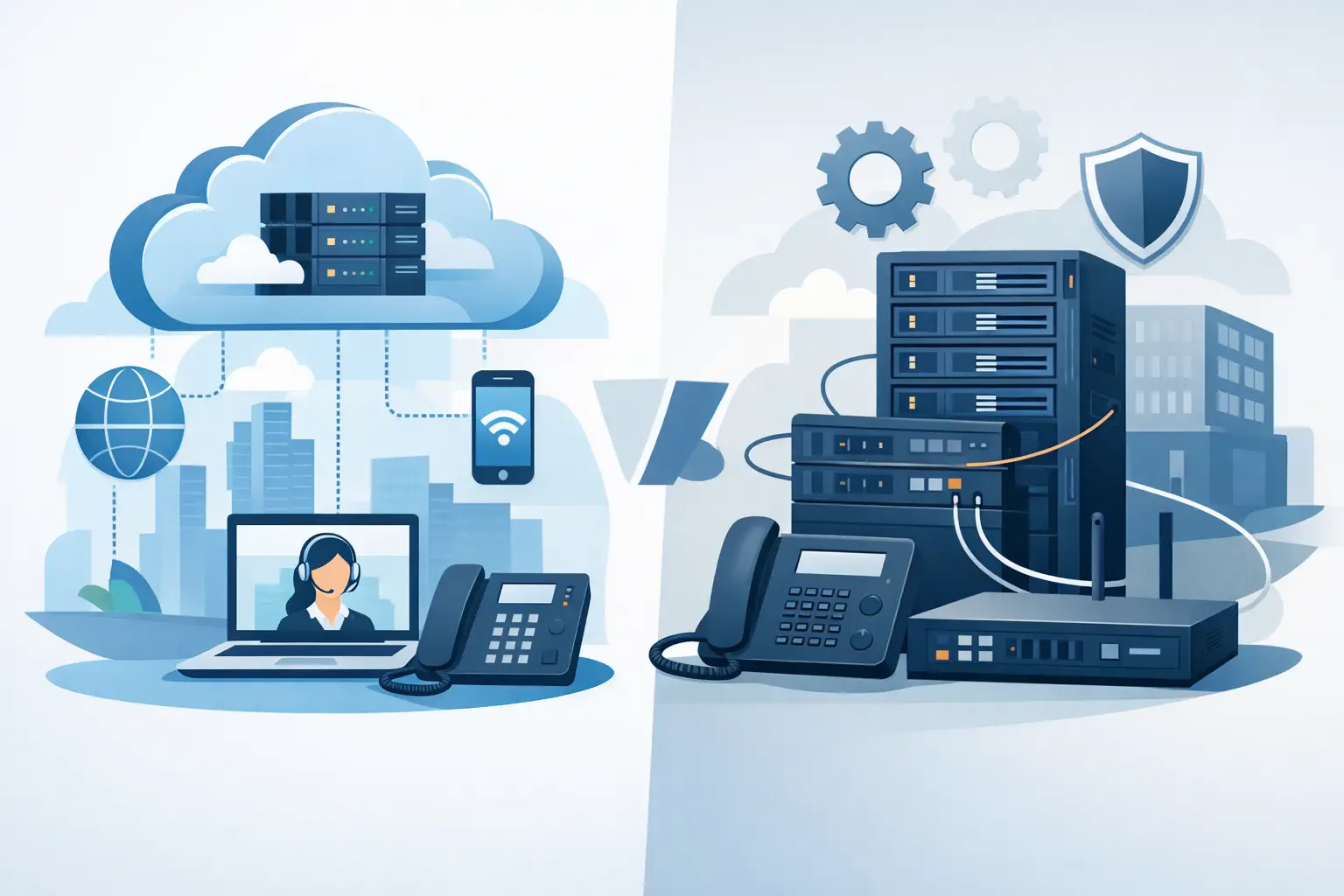
A phone system decision can affect far more than call quality. It determines how quickly your team can add employees, what happens when the office loses power, how much work falls on internal staff, and how easily customers can reach the right person. The hosted PBX vs on premise question is really a question of operational control, continuity, and long-term support.
For small and mid-sized businesses in Miami and South Florida, the right answer depends on your existing infrastructure, internet reliability, growth plans, and tolerance for managing technology in-house. Neither model is automatically better. The best fit is the one that keeps communication dependable without creating unnecessary cost or complexity.
Hosted PBX vs. On-Premise: The Operational Difference
A hosted PBX is a cloud-based business phone system. The call control platform, software, and much of the underlying infrastructure operate in a provider-managed data center rather than in your office. Your team uses desk phones, mobile apps, softphones, or conference devices that connect through your internet service.
With an on-premise PBX, the primary phone system hardware and call-control software are installed at your location. Your organization owns or leases the equipment and is responsible for maintaining it, either through internal IT staff or a technology partner. Traditional phone lines, SIP trunks, and backup circuits may connect to that system based on the design.
The distinction matters when something changes. In a hosted environment, adding a user, changing call routing, or enabling a mobile extension can often be handled remotely. With an on-premise system, changes may require available licensing, hardware capacity, programming expertise, and sometimes an onsite visit.
Upfront Costs and Ongoing Expenses
On-premise PBX systems usually require a larger upfront investment. The cost may include the PBX server or appliance, phone handsets, licensing, installation, cabling, battery backup, and configuration. If you need redundancy, the investment grows further. That approach can make sense for a stable organization with a large existing deployment and a clear plan to use the system for many years.
Hosted PBX typically shifts more of the cost into a predictable monthly service fee. Businesses still purchase phones and may need network improvements, but they avoid buying and maintaining the central PBX hardware. This can be appealing for organizations that want to preserve capital for operations, staffing, or expansion.
Monthly pricing is not the only cost to examine. Ask what is included for implementation, number porting, call recording, auto attendants, mobile apps, support, training, and after-hours changes. A low per-user price can become less attractive if critical features or responsive support are billed separately.
On-premise systems also carry ongoing expenses that are easy to overlook. Software updates, replacement parts, support contracts, security maintenance, backups, and eventual hardware refreshes all need a budget. The equipment may be paid for, but it is never free to operate.
Reliability Depends on More Than the Phone Platform
Businesses often assume an on-premise PBX is more reliable because it sits inside the office. That can be true in a specific scenario: if internet connectivity fails but local phone service and power remain available, a properly designed onsite system may retain certain calling capabilities. It can also support local extensions in ways that do not depend on a cloud platform.
But an onsite system has its own points of failure. A power event, equipment malfunction, water damage, cooling issue, or problem in the building’s telecom room can take service down. In South Florida, storm preparedness deserves special attention. A PBX in a flooded or inaccessible office does not help a team working remotely.
Hosted PBX can provide stronger geographic flexibility. If the office loses power or must close, calls can be redirected to mobile devices, remote employees, a secondary location, or a designated answering service. Staff can continue using their business number without physically accessing the office.
That flexibility relies on quality internet service and a properly configured network. Voice traffic needs sufficient bandwidth, low latency, and sensible network prioritization. Businesses that rely heavily on hosted calling should consider a secondary internet connection, cellular failover, an uninterruptible power supply for network equipment, and clear call-forwarding plans for emergencies.
The most dependable design is rarely just a platform choice. It is a continuity plan that considers power, connectivity, network security, physical equipment, and who can make changes when an incident occurs.
Security and Accountability
Both hosted and on-premise PBX systems require active security management. Voice systems can be targets for toll fraud, unauthorized account access, phishing-related credential theft, and attempts to exploit outdated software. A phone system should not be treated as a set-it-and-forget-it utility.
A well-managed hosted service can reduce the burden on your internal team because the provider maintains the core platform, applies updates, monitors service health, and manages platform-level security controls. Your business still needs strong user passwords, multi-factor authentication where available, carefully assigned administrator permissions, and procedures for removing access when employees leave.
With an on-premise PBX, your organization has more direct control over the system, but it also takes on more responsibility. Someone must maintain patches, monitor logs, protect backups, secure remote administration, and respond to alerts. If those tasks are not assigned and routinely completed, control becomes exposure.
For many businesses, the better question is not who owns the server. It is who is accountable for keeping the phone environment maintained, protected, and available after normal business hours.
Growth, Remote Work, and Everyday Features
Hosted PBX is generally easier to scale. A new employee can receive an extension and a mobile app without waiting for additional PBX hardware. This makes it well suited to businesses with seasonal staffing, multiple locations, hybrid employees, field personnel, or changing office footprints.
Cloud calling also makes business continuity more practical for teams that answer calls away from a desk. Receptionists can transfer calls from a laptop, managers can receive their extension on a mobile device, and call queues can direct customers based on schedules or department availability.
An on-premise system can support advanced calling features as well, especially in a mature installation. It may be a sensible choice when a business has specialized integrations, strict local-control requirements, or a significant investment in compatible equipment. The trade-off is that expansion and remote access usually require more planning and technical oversight.
When Each Option Makes Sense
Hosted PBX is often the stronger choice for organizations that want predictable costs, flexible remote access, easier scaling, and reduced responsibility for central phone-system infrastructure. It is particularly practical for companies that do not have a dedicated telecom specialist on staff.
On-premise PBX can be appropriate for organizations with a stable office-based workforce, existing equipment that still delivers value, specialized operational needs, and the budget to maintain redundant local infrastructure. Some businesses also prefer local survivability for internal dialing and specific failure scenarios.
There is also a middle ground. A business may retain certain onsite equipment while moving call services, remote functionality, or disaster recovery capabilities to a hosted platform. The right architecture should reflect how employees actually work, not just how the office operated five years ago.
Questions to Answer Before You Choose
Before approving a phone-system project, look beyond the feature list. Consider how calls will be handled during an internet outage, power interruption, hurricane-related closure, or office move. Confirm whether employees need to answer business calls from home, from a job site, or while traveling. Review how many people will administer the system and whether they have the time and technical knowledge to do it well.
You should also assess the network supporting the phones. Poor WiFi coverage, aging switches, limited bandwidth, or an unmanaged firewall can undermine even an excellent hosted solution. Conversely, an aging onsite PBX may create expensive risk if replacement parts and qualified support are becoming harder to find.
CompuSOURCE helps South Florida organizations evaluate phone systems as part of the larger technology environment, including network readiness, backup connectivity, security, remote access, and ongoing support. That approach prevents a communications upgrade from becoming an isolated project with hidden operational gaps.
A useful next step is a practical review of your current call flow: where calls enter, who answers them, what happens after hours, and where service breaks down during an outage. Once those answers are clear, the right PBX model becomes a business decision backed by a plan, rather than a guess based on the latest phone features.
Comments are closed